System Information
View detailed information about your connected device.
Opening System Info
Click System in the left sidebar, then select About or the info icon.
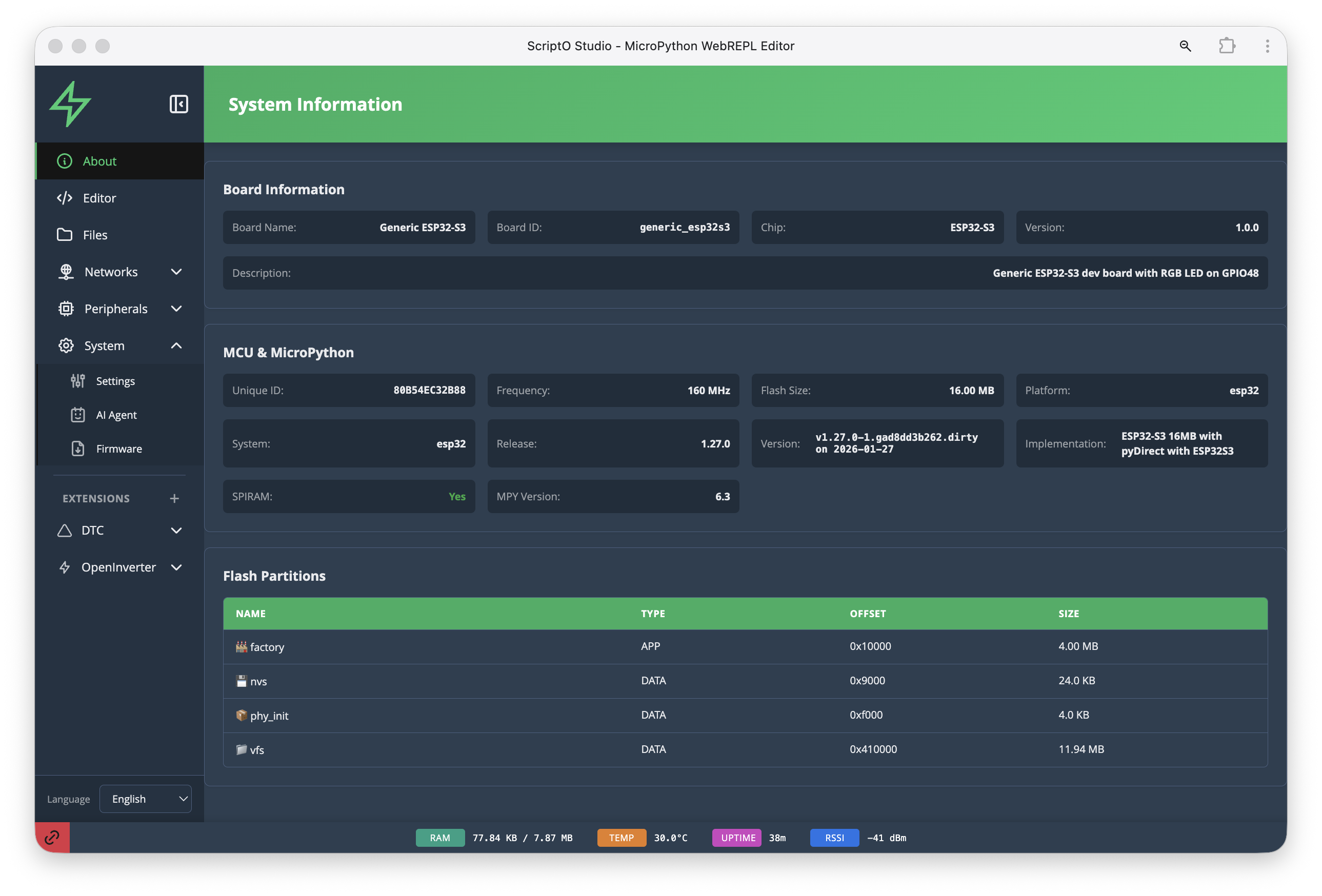
Board Information
| Field | Description | Example |
|---|---|---|
| Board Name | Human-readable board name | Generic ESP32-S3 |
| Board ID | Board identifier | generic_esp32s3 |
| Chip | ESP chip variant | ESP32-S3 |
| Version | Board definition version | 1.0.0 |
| Description | Board capabilities | Generic ESP32-S3 dev board with RGB LED on GPIO48 |
MCU & MicroPython
| Field | Description | Example |
|---|---|---|
| Unique ID | Device unique identifier | 8095453208B... |
| Frequency | CPU clock speed | 160 MHz |
| Flash Size | Total flash memory | 16.00 MB |
| Platform | MicroPython platform | esp32 |
| System | Chip family | esp32 |
| Release | MicroPython version | 1.27.0 |
| Version | Detailed version info | v1.27.0-1_ge404eb262... |
| Implementation | Firmware variant | ESP32-S3 16MB with pyDirect with ESP32S3 |
| SPIRAM | PSRAM availability | Yes |
| MPY Version | Bytecode version | 6.3 |
Flash Partitions
The flash partition table shows how storage is allocated:
| Name | Type | Offset | Size |
|---|---|---|---|
| factory | APP | 0x10000 | 4.00 MB |
| nvs | DATA | 0x9000 | 24.0 KB |
| phy_init | DATA | 0xf000 | 4.0 KB |
| vfs | DATA | 0x410000 | 11.94 MB |
Partition Types
- factory - The main application (MicroPython + pyDirect)
- nvs - Non-volatile storage for system settings
- phy_init - WiFi/Bluetooth PHY calibration data
- vfs - Virtual filesystem (your Python files and data)
Status Bar
The status bar at the bottom of ScriptO Studio shows real-time device metrics:
| Indicator | Description | Example |
|---|---|---|
| RAM | Used / Total memory | 77.64 KB / 7.97 MB |
| TEMP | Chip temperature | 38.9°C |
| UPTIME | Time since boot | 18m |
| RSSI | WiFi signal strength | -41 dBm |
Understanding RAM
- Used - Currently allocated memory
- Total - Total available (includes PSRAM if present)
- PSRAM (SPIRAM) significantly increases available RAM
Temperature
Normal operating range: 30-60°C. Higher temperatures may indicate: - Heavy processing load - Poor ventilation - High ambient temperature
Using This Information
For Debugging
- Check Flash Size to ensure sufficient storage
- Monitor RAM to detect memory leaks
- Verify SPIRAM is enabled if needed
For Development
- Use Board ID for conditional code
- Check Frequency for timing calculations
- Reference MPY Version for compatibility
Related
- Board Configurations - Supported boards
- Troubleshooting Memory - Memory issues
- Settings - Device configuration